Introduction
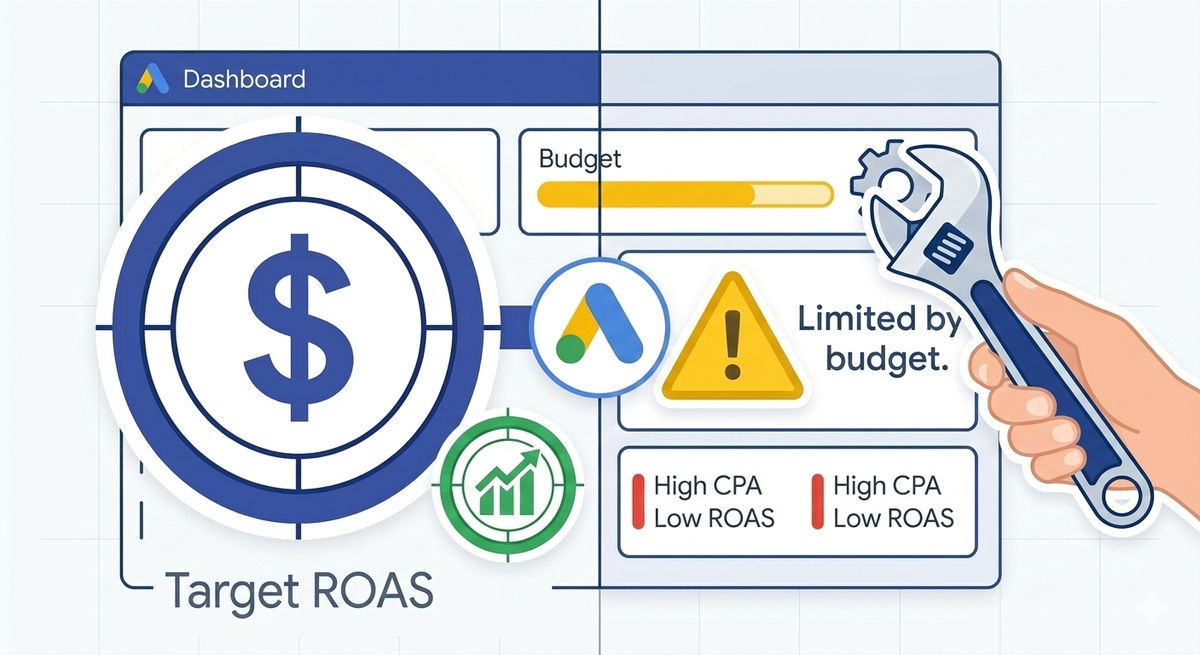
You log into Google Ads. There it is - a yellow "Limited by budget" warning next to your campaign. The instinct is obvious: spend more. Google even suggests a new daily budget right there in the interface, making it easy to click and increase.
Do not click it.
That warning does not mean your budget is too small. It means your budget is being consumed faster than it can sustain a full day of auction participation. The distinction matters. A leaking pipe does not need more water. It needs the leak fixed.
Most campaigns flagged as "Limited by budget" are not underfunded. They are poorly allocated. They bid on keywords that do not convert. They run ads at hours when nobody buys. They chase impression share on terms that drain budget without producing results. Fix the allocation and the warning disappears - without adding a single dollar.
Budget allocation works best alongside the right bidding model - see our smart bidding strategy comparison.
This guide walks through six practical fixes, ordered from quickest wins to deeper structural changes.
What "Limited by Budget" Actually Means
Google shows this status when your daily budget is lower than the amount the system would spend if uncapped. In technical terms, your campaign's budget is restricting the number of auctions it can enter.
The downstream effect hits your impression share directly. Impression share measures the percentage of eligible auctions where your ad actually appeared. When you are limited by budget, you lose impression share - not because your ads are irrelevant, but because Google pulls them from auctions to avoid overspending.
You can see the damage in your campaign columns. Add "Search lost IS (budget)" to your view. This shows exactly what percentage of impressions you are missing due to budget constraints. If that number is 40%, your ads are invisible in nearly half the auctions you qualify for.
But here is the critical insight most advertisers miss: impression share lost to budget is only a problem if those missed impressions would have been profitable. If your campaign is bleeding money on low-value clicks, losing those impressions is doing you a favor. The fix is not to chase 100% impression share. It is to make sure the impressions you do capture are the ones that convert.
Fix 1: Kill Non-Converting Keywords
This is the highest-impact change you can make and it takes 15 minutes.
Pull your keyword performance report for the last 60 to 90 days. Sort by cost, descending. Look for keywords that have spent meaningful budget but produced zero or very few conversions.
These are your budget parasites. They eat spend, generate clicks, and deliver nothing. Every dollar they consume is a dollar stolen from keywords that actually work.
How to cull:
- Pause any keyword that has spent more than 3x your target CPA without a single conversion.
- Pause any keyword with a conversion rate below 1% after at least 100 clicks. The data is sufficient. The keyword is not going to suddenly start working.
- Demote broad match keywords that have ballooned into irrelevant territory. Check what they actually matched to before pausing - some may work better as phrase or exact match.
Keyword culling is not a one-time task. Build it into a monthly routine. Budgets leak slowly. A keyword that performed last quarter may be dead weight this quarter.
Fix 2: Mine Your Search Term Reports
Your keywords are not always triggering the ads you expect. Search term reports show the actual queries people typed before clicking your ad. This is where hidden waste lives.
Open your search term report for the last 30 days. You will likely find three categories of waste:
Irrelevant queries. Your keyword "project management software" matched to "free project management templates" or "project management degree programs." These clicks cost money and will never convert. Add them as negative keywords immediately.
Redundant queries. Multiple keywords in your account are matching to the same search term. This creates internal competition and fragments your data. Consolidate by adding exact match versions of high-performing search terms and negative matching them out of broader ad groups.
Low-intent queries. Searches that include words like "free," "reddit," "review," or "vs" often signal research intent, not buying intent. If your campaign targets bottom-of-funnel conversions, these clicks are budget leaks. Add them as negatives or move them to a dedicated informational campaign with a lower bid.
A single round of search term report cleanup can recover 10 to 25% of wasted budget. That recovered spend goes directly toward the profitable auctions you were missing.
Fix 3: Tighten Your Ad Schedule
Your campaign runs 24 hours a day by default. Your customers do not buy 24 hours a day.
Pull your time-of-day performance report. In most B2B accounts, conversions cluster between 8 AM and 6 PM on weekdays. In most B2C accounts, evenings and weekends often outperform mornings. Your data will tell you the pattern.
Once you see it, apply ad schedule optimization in two steps.
Step one: Cut dead hours. If you get zero conversions between midnight and 6 AM and your budget is constrained, stop running ads during those hours entirely. There is no reason to buy clicks at 3 AM if nobody converts at 3 AM.
Step two: Apply bid adjustments by hour. Google lets you increase or decrease bids for specific time blocks. If your conversion rate doubles between noon and 2 PM, apply a +20% bid adjustment to capture more of that high-value window. If Saturday mornings convert at half the weekday rate, apply a -30% adjustment. You are not cutting budget. You are redirecting it toward the hours that actually produce results.
Ad schedule optimization is one of the most underused tools in Google Ads. Most advertisers never touch it. That is free efficiency sitting on the table.
Fix 4: Adjust Bids by Device and Location
Not all clicks are equal. A click from a mobile device in your target city and a click from a desktop in another country cost the same by default. They should not.
Device bid adjustments. Check your device performance breakdown. If mobile clicks convert at half the rate of desktop clicks, apply a -40 to -50% bid adjustment on mobile. If your site is not optimized for mobile, consider going further. Every low-converting mobile click is budget that could fund a high-converting desktop click instead.
Location bid adjustments. If you serve specific regions, check conversion rates by geography. You will almost certainly find locations that spend budget but produce few conversions. Reduce bids in underperforming areas by 20 to 50%. Increase bids in your top-performing locations to capture more impression share where it counts.
Audience bid adjustments. Layer in your audience data. Returning visitors, customer match lists, and in-market audiences often convert at significantly higher rates than cold traffic. Bid up on these segments. Bid down - or exclude entirely - audiences that historically do not convert.
These bid adjustments do not change your daily budget. They change where that budget goes. The total spend stays the same. The results improve.
Fix 5: Consolidate Thin Campaigns
Account bloat is a silent budget killer. When you spread a limited budget across too many campaigns, each one gets starved. None of them generate enough data for Google's algorithm to optimize effectively. The "Limited by budget" warning appears on five campaigns instead of one - and all five underperform.
The fix is consolidation.
If you have three campaigns targeting similar audiences with $20 per day budgets each, merge them into one campaign with a $60 per day budget. The combined campaign enters more auctions, generates more data, and exits the algorithmic learning phase faster. Your Smart Bidding strategy gets cleaner signals and makes better decisions.
Rules for consolidation:
- Merge campaigns that target the same geographic region and similar keyword themes.
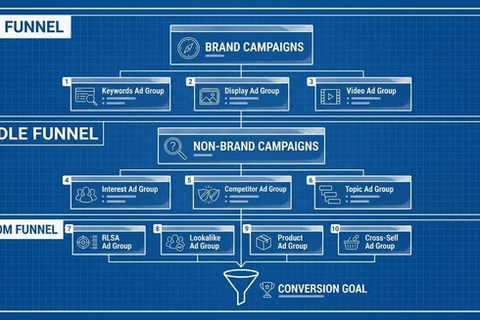
- Keep campaign structures aligned to distinct business objectives, not arbitrary keyword groupings.
- After merging, monitor for two weeks before making further changes. Let the algorithm stabilize.
A consolidated account with three well-funded campaigns will always outperform a fragmented account with ten underfunded ones.
Fix 6: Audit Your Bidding Strategy
If you are using Smart Bidding with a budget constraint, check whether your targets are realistic.
A Target CPA set too low forces Google to bid conservatively on every auction. The algorithm cannot find enough cheap conversions, so it pulls out of auctions early and your budget goes unspent while the "Limited by budget" flag still appears. This paradox confuses advertisers - how can you be limited by budget when you are not even spending it all?
The answer: your CPA target is more restrictive than your budget. Loosen the target by 10 to 15% and the algorithm enters more auctions, spends more efficiently, and often delivers better overall volume at a marginally higher but still profitable cost per conversion.
Similarly, a Target ROAS set too high creates the same bottleneck. The algorithm only bids on auctions it believes will produce exceptional returns, ignoring profitable-but-not-exceptional opportunities. The result is underspending, lost impression share, and the persistent budget warning.
Review your bid strategy report. If your actual CPA or ROAS consistently outperforms your target by a wide margin, your target is too conservative. You are leaving volume on the table.
The Sequence That Works
Do not attempt all six fixes at once. Changes stack, and simultaneous adjustments make it impossible to measure impact. Follow this order:
- Search term report cleanup. Immediate waste removal. Takes 30 minutes.
- Keyword culling. Kills the biggest budget drains. Takes 15 minutes.
- Ad schedule optimization. Stops paying for dead hours. Takes 10 minutes.
- Device and location bid adjustments. Redirects spend to high-value segments. Takes 20 minutes.
- Campaign consolidation. Structural improvement. Takes longer to implement and measure.
- Bidding strategy audit. Fine-tuning. Do this last after the other fixes have stabilized.
After each change, wait 7 to 14 days before making the next one. This lets the algorithmic learning phase complete and gives you clean before-and-after data.
What Success Looks Like
You will not necessarily see the "Limited by budget" warning disappear immediately. What you will see is your Search lost IS (budget) percentage dropping steadily as your spend concentrates on higher-converting auctions. Your cost per conversion will decrease. Your conversion volume will hold steady or increase - on the same daily budget.
Want help stretching every dollar? Learn about our performance-based ad management.
The goal was never to eliminate the warning label. The goal was to make every dollar in your budget work toward a conversion. When your campaign spends its full daily budget on clicks that actually convert, the warning becomes irrelevant. It might even persist, because Google will always suggest you spend more. The difference is you will know your current budget is already doing its job.
Stop feeding the leak. Fix the pipe.
Frequently Asked Questions
What does "Limited by Budget" mean in Google Ads?
It means your daily budget is lower than what Google would spend if there were no cap. Your campaign is being pulled from auctions it qualifies for because the budget runs out before the day ends. This reduces your impression share and limits the number of clicks and conversions your campaign can generate.
Does "Limited by Budget" hurt my Quality Score?
No. Quality Score is based on ad relevance, expected click-through rate, and landing page experience. Budget constraints do not directly affect those factors. However, a limited budget can indirectly slow optimization because your campaign generates less data for Google's algorithm to learn from.
How do I check how much impression share I am losing to budget?
Add the column "Search lost IS (budget)" to your campaign view in Google Ads. This shows the exact percentage of eligible impressions your ads missed due to budget constraints. If the number is above 20%, there is meaningful room to recover through optimization.
Should I always try to remove the "Limited by Budget" warning?
Not necessarily. The warning is informational, not a penalty. If your campaign is converting profitably and your budget is genuinely fixed, the warning is just telling you there is additional demand available. Focus on making sure the impressions you do capture are the most profitable ones. A well-optimized campaign with a budget cap will outperform a poorly optimized one with unlimited spend.
How long should I wait after making changes before judging results?
Wait 7 to 14 days after each significant change. This allows the algorithmic learning phase to complete and gives you clean data to compare against your baseline. Making multiple changes simultaneously or adjusting targets during the learning window resets the optimization cycle and delays results.
Can negative keywords really make that big of a difference?
Yes. A thorough search term report review often uncovers 10 to 25% of budget going to irrelevant or low-intent queries. Adding those as negative keywords immediately redirects that spend to auctions with higher conversion potential. This is consistently the fastest and highest-impact fix for budget-constrained campaigns.
What if my budget is genuinely too small for my market?
If you have applied all six fixes and your campaign is still severely limited, narrow your targeting further before increasing spend. Reduce your geographic radius. Focus on your top 5 to 10 highest-converting keywords only. Run ads only during peak conversion hours. It is better to dominate a small slice of the market profitably than to spread a thin budget across a wide one.
Is it better to have one campaign with a large budget or multiple campaigns with small budgets?
In almost every case, fewer campaigns with larger budgets outperform many campaigns with small budgets. Consolidated campaigns generate more conversion data, exit the learning phase faster, and give Smart Bidding strategies cleaner signals. Only split campaigns when there is a genuine strategic reason - different geographic targets, different business objectives, or separate product lines that require distinct bidding strategies.